7. Using a LiDAR to solve the ancient problem of detecting buckets 🪣
Prologue
The first time I heard about a LiDAR, was in the context of self-driving cars ~5 years ago. Apparently, this type of distance sensor is so advanced that it can easily map its surroundings with high speed. I have only worked with an ultra-violet distance sensor for my electronic car set, which did not show very promising results. I was fascinated to hear that there exists sensors out there that actually do accurate distance measuring.
I was completely astounded when I saw this YouTube video of Mark Rober, who managed to map the entire Disneyland Space Mountain ride using a LiDAR sensor. The layout of this rollercoaster ride has been kept secret, as the ride is completely dark.
Fast forward to a month back, where a family member of mine pitches a fun project, that might have some real-life applications. Without getting into specifics, the task would be to detect the width of a hole in a wall, in a place that is less accessible to people - using a LiDAR for accurate measurements. Thus, I ordered the cheapest reliable LiDAR from the internet that I could find, and started working!
Getting Started
I ended up buying an RPLIDAR A1 from SlamTec, on a Danish website.
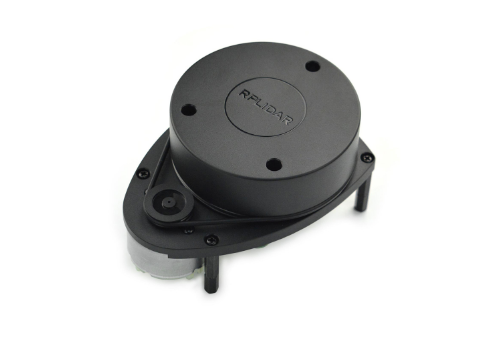
The LiDAR comes with associated software for rendering, but I ignored that, and used the raw output for my script. With the huge assistance of open-source implementations, I was easily able to do some data processing.
To specify a goal for this project, I want to be able to hoist the LiDAR into a bucket, and let it detect the width of a circle that I have carved out of it
Circle Detection
The objective is two-fold. I need to detect the presence of the circular surroundings, then I need to determine if the circle is “broken up” by a hole in the wall.
A LiDAR works by continuously “shooting” out lasers that quickly determine the position of an object. It does this while rotating in a single plane. So, this LiDAR only works in the plane (2D). Every measurement is associated with: a distance, an angle, and a timestamp - one row in a table. In order to visualize the circle that would seemingly appear, is to show the after-image of the measurements (if doing this live), or in general, only show a window of X measurements, or maybe within a T (milli)second window instead.
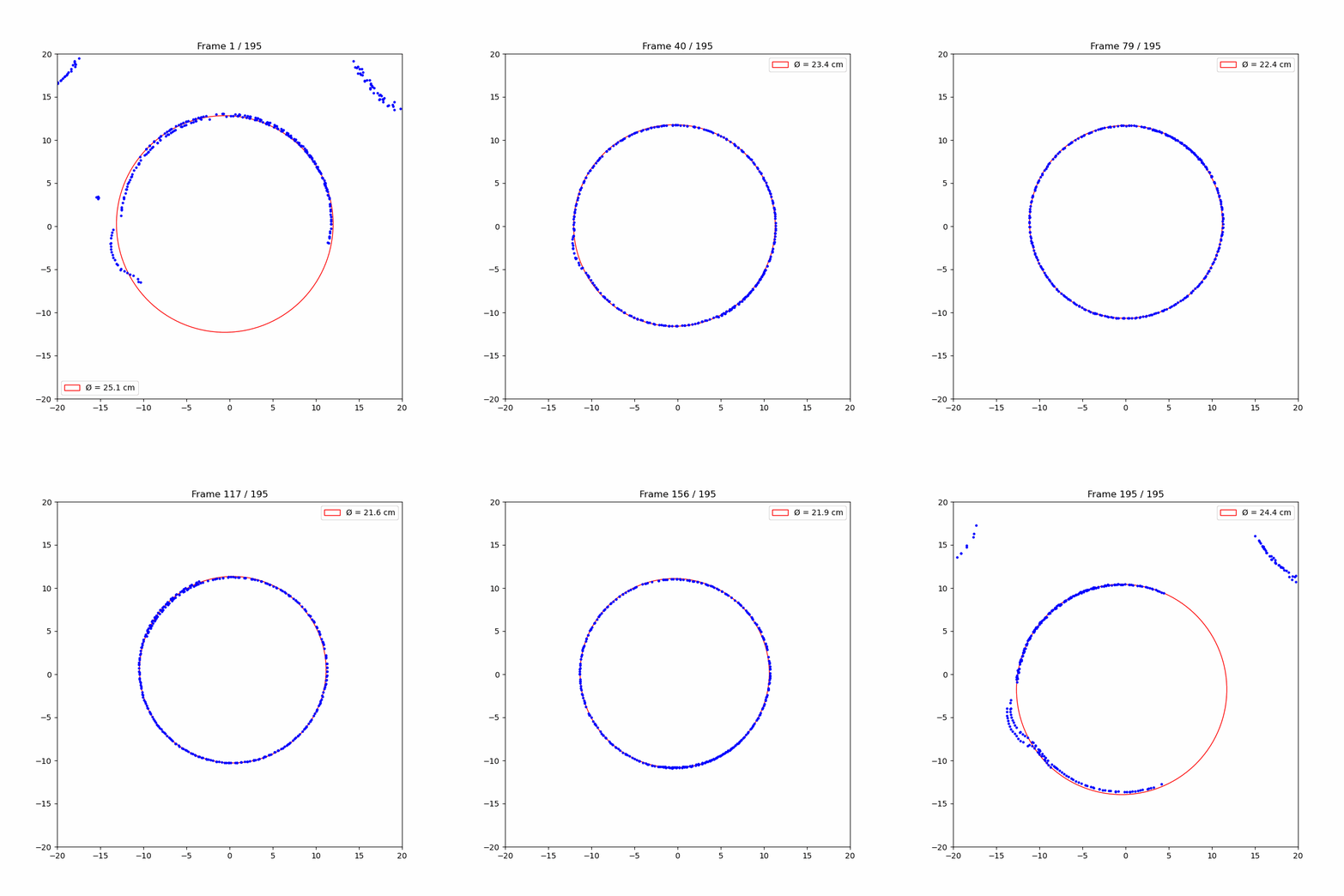
Using the circle-fit python package, I can easily find the best least-squares fit of a circle for my window of points. I am also using the DBSCAN algorithm (scikit-learn) for ensuring that we only fixate on the largest “connected component” - essentially ignoring all kinds of noisy measurements
The following animation shows how the circle is fit continuously, while being slowly hoisted up and down a simple bucket:
Hole Detection
Now that I can easily detect the circular environment, I want to check for “holes” in the circle. As we will see here, circle detection itself is not that important for measuring the size of the hole. The circle detection is mainly needed for centering the coordinates of the measurements, but it also serves as a nice visual to see a clean circle.
Given all the “window points”, we want to check for the gaps between points, measured in difference in angle. For this purpose, centering the points around (0,0) makes angle calculation much cleaner. If a gap is larger than 50 degrees, it is ignored. The following example shows the continuous tracking of the hole:
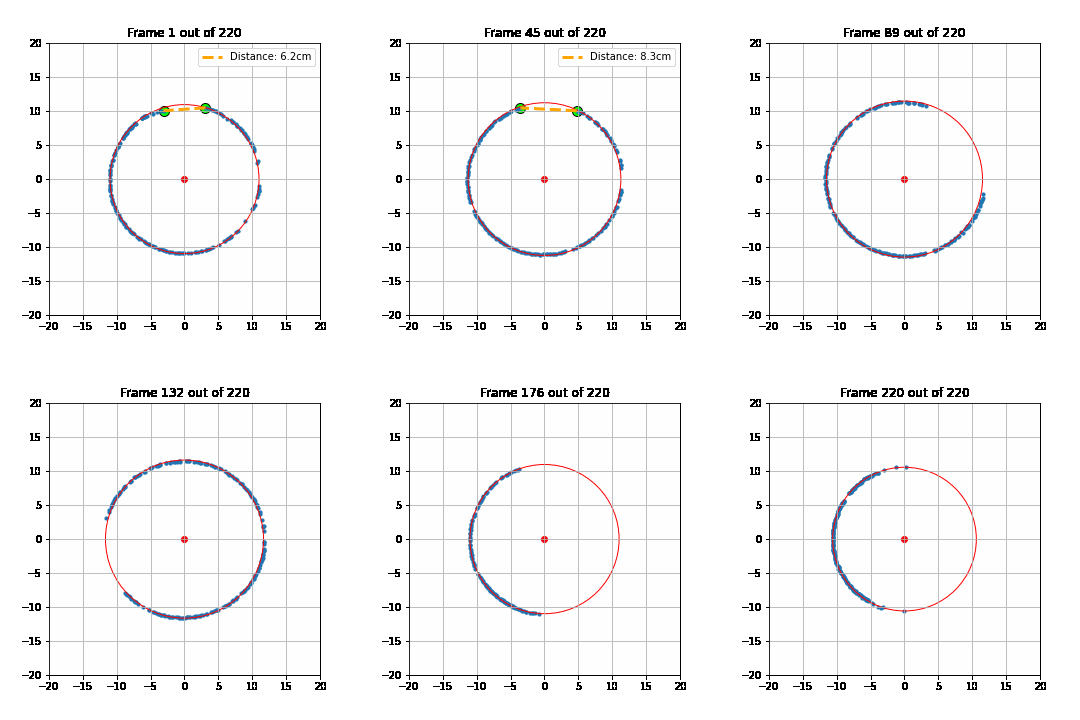
You will quickly realize that the hole moves quite a lot; and that is simply because the hoisting setup is not that robust. This means that the LiDAR itself was rotating. And since all measurements are relative to the LiDAR as the frame of reference, the hole seems to jump quite a bit. Not only that, but as it tilts, the circular surrounding is not captured correctly either.
Everything Together
For all of this to really work, I would need a robust hoisting system, otherwise we get the errors mentioned above. The current setup looks like this:
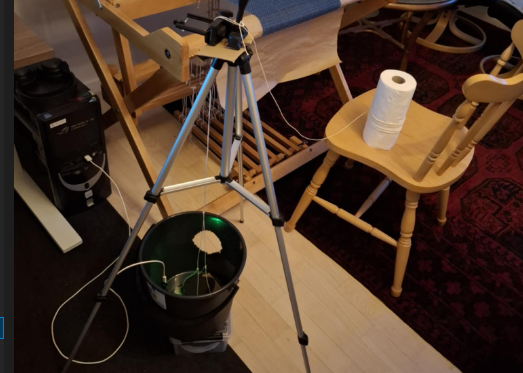
It is a kitchen roll with a string attached between itself and the LiDAR. By rotating the roll, the LiDAR is pulled straight up, as the string is fixated using my camera tripod. The LiDAR itself needs to be connected to a computer while this happens - hence the wire that goes into my desktop computer.
Conclusion and Future Work
I think this is a great start. This proof of concept demo has shown that it is definitely not impossible to get this thing to work more robustly. The biggest challenge has been to create a stable hoisting setup. Maybe strings are not the best way to move it, since it is susceptible to unwanted rotations.
It did not seem to be a problem that the LiDAR was connected to my computer, but it is definitely a bottleneck in real applications. It would make sense to connect it with a RaspberryPi instead, as that could easily be attached to the LiDAR.