9. Grocery Swiper (Part 2/3) - Create an app 📱
Github repo: Grocery Swiper
Scraping - fix
Since last time, the automation pipeline has failed on me, due to a strong assumption I made about the sales flyer website’s scraping prevention. As it turns out, the ID used to identify the json data file on their server actually does change dynamically, meaning that I need a way to catch that as well. Currently, I depend on the data path to the json files to only depend on the item-id displayed directly on the webpage. To fix this, I used the playwright package which simulates a browser without a GUI (aka headless), in order to catch the data packages (and thereby the ID for the json files) that are retrieved on the client side, but not accesible through scraping of the static website.
Creating an App
To recap, the idea is to create a Tinder like app that let’s the user “swipe” on grocery items from the sales flyer. The goal is to learn the preferences for historic items, in order to give recommendations of the best sales when the next sales flyer is released.
Attempt 1 - Android Studio and Kotlin
I tried to go through Google’s official Android Studio + Kotlin (programming language) tutorial, in order to create my own Android app. After tedious amounts of tutorial-ing, I was overwhelmed by the idea of building this entire thing in Kotlin. I also needed a backend, and smart access to a database service such as Firebase. I do believe project building is the best way to learn new tools and skills; but this was just too big of a mouthful, and I had to try something else.
Attempt 2 - Online Software Creation using AI
There has been a lot of hype around tools such as replit that promise to create fully working software using only prompting. I was a bit conflicted with using it, as it would mean surrendering more of my coding to the AI assistants. But I realize that AI is the future, and it’s better to harness its strengths rather than being a slave of my own ego - preventing me from adapting to the demands of the future. So I continued on.
I used both replit and Firebase Studio, which essentially do the same thing. I prompted something like:
“Create a Tinder-like mobile app, but let each profile be a grocery item”
With this very simple prompt and some small tweaks, I got to this point:
(Left: Replit. Right: Firebase Studio)
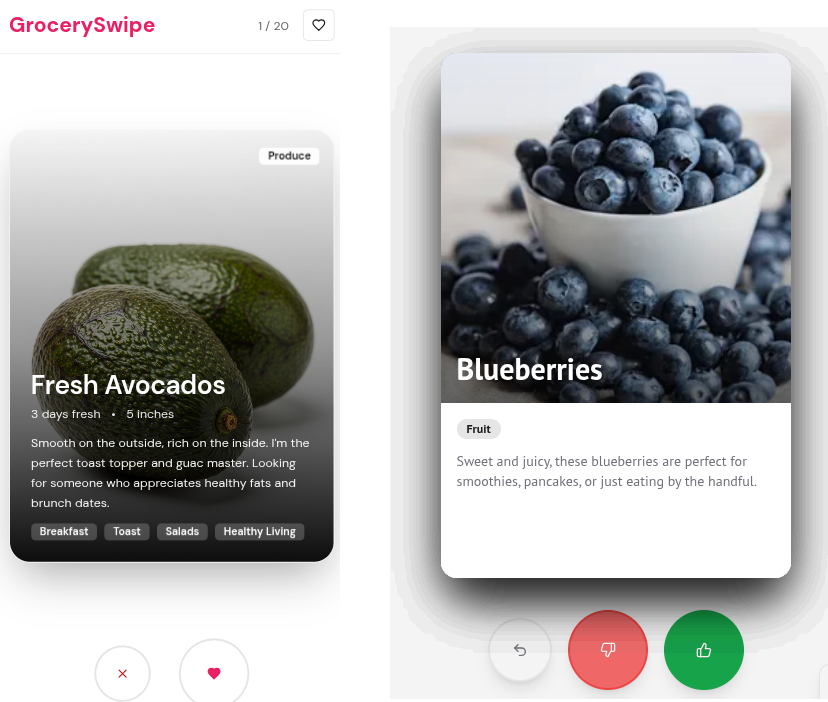
The obvious upside is that this method of working is very efficient and satisfying, as you are simply managing the AI to create your vision. I find that the code assistant found in i.e. VSCode also feels quite similar. As the free credits ran out, I was wondering how I would even deploy it. I did not want to pay anything to get it deployed, so I tried downloading the code, and running it locally.
The first thing I noticed was that the codebase was very large (300 MB), and was not even in a mobile app format. I had tried asking for a Kotlin-based, Android compatible app, but it kept using React/Typescript - probably in order to display the prototype in the browser I was working on, but I am not sure. I don’t think they want users to use their code outside of the online environments.
I had given up on these type of AI tools, as they would limit my freedom in the long run. Instead, I gladly took their idea of simply simulating an app through the web browser - something that I am way more comfortable working with. So, plans changed. The mobile app will instead be a website, not an Android app, which I had first anticipated.
Attempt 3 - Website Imitating a Mobile App
I hosted a server locally using Flask, with the app itself being simple HTML/CSS/JS, with an SQLite database for storing swipe data for all users, and ended up looking like this:
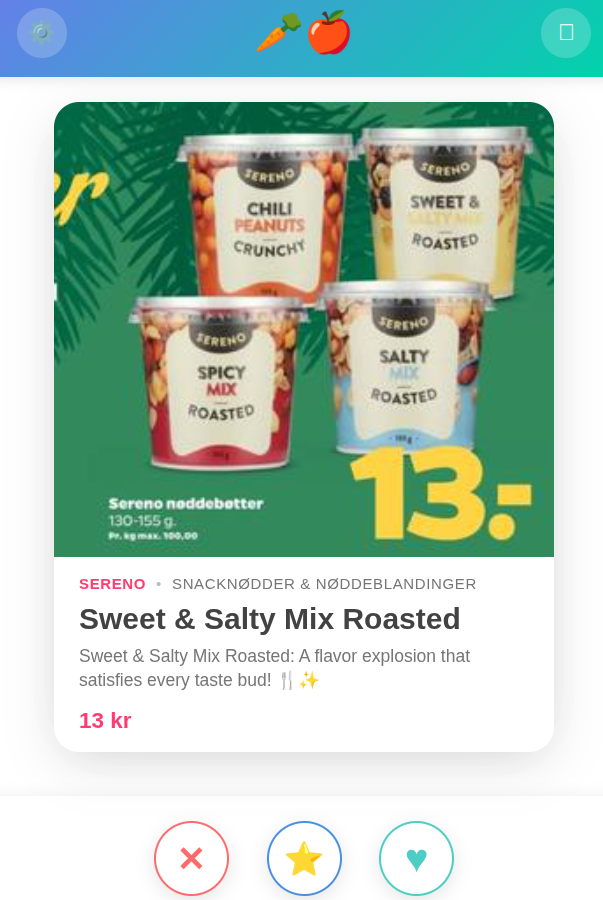
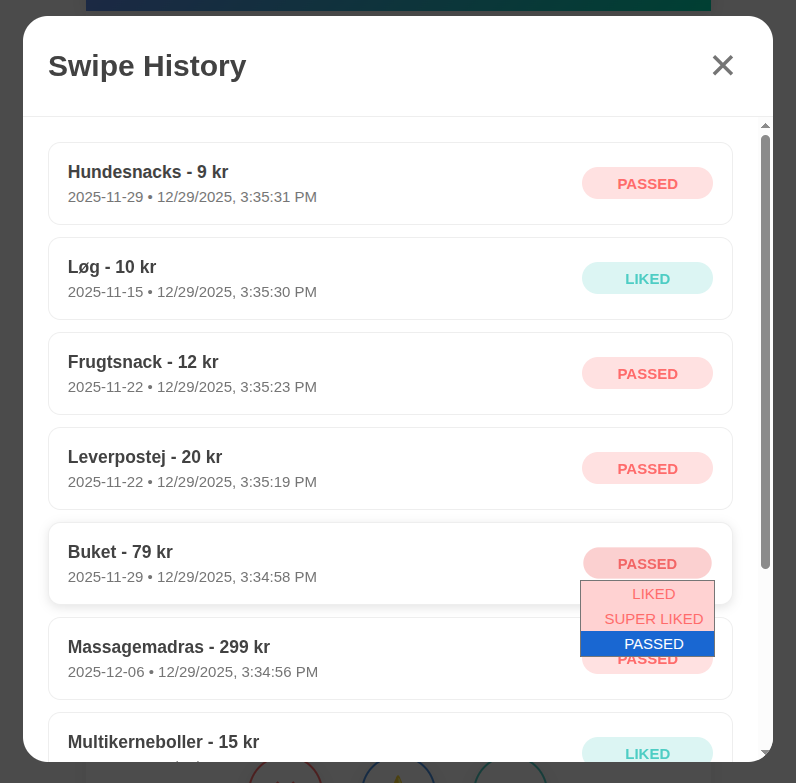
In the top left, we have a history button, that let’s one go back in history and change preference:
In the top right, there is a full-screen button that removes the browser header and such, to make it feel like an actual mobile app.
On top of having the like/pass swiping options, it is also possible to super-like something, which will put more emphasis on this entry in the recommendation model.
Server Hosting
I have been playing around with my Raspberry Pi for various reasons as of late, and I chose to use that as a server host. In short, a Raspberry Pi is a small light-weight computer (size of a palm). As server hosting is not very compute intensive we can host the server on that device 24/7, if needed.
Currently, you can access the server if you are on the same local network, which works fine for testing, but not so much in practice. Therefore, we need a way to “publish it to the world”. A not so safe way is to “port-forward” a port on the router. While the router itself is exposed to the internet, the devices belonging to the respective network are not (as much). They are protected by a firewall, blocking others from accessing my computer in various ways. A port is kind of a path to a device within the network. When port-forwarding we open that port up to the world.
Instead of doing that, we can use tunneling, which is similar to port-forwarding, but more safe. It utilizes a third-party provider, in my case ngrok, to safely connect my local server with the outside world. When starting the Flask app, the server lies on a certain port, and that port will be connected to the public through the ngrok tunnel. As it only let’s me tunnel a single endpoint, I will have DB access through the same port as the server. Public database access is important as the automation pipeline in Github needs access to the latest version of the database.