8. Grocery Swiper (Part 1/3) - Gathering grocery data 🛒
Github repo: Grocery Swiper
Prologue
I have once abandoned a project regarding automatic retrieval of weekly Netto deals. The reason for that is, that when you live 100 meters away from a Netto, you simply go down there and check for the things you want anyway. But now that I live a WHOPPING 700 meters away, I can’t possibly do that anymore - that would be outrageous!
Jokes aside, my girlfriend routinely reads the sales flyers, which seems so daunting to me, which is why I thought of automating it! The best possible solution I came up with is to send a mail of the “best” groceries for this week, in terms of price and product. But how is a system going to know about her preferences? Introducing Tinder… but for groceries. Similarly to how we judge people on the internet within 1 second on dating apps, we can apply the same idea for groceries! What a brilliant idea!
This project is waaaay too large to complete within a month, so let’s stretch it across multiple smaller projects:
Part 1 will be about creating a system that scrapes weekly grocery offers, automatically. This would be used as “training data” / “historic preference data”.
Part 2 will be about creating the actual app for gathering preferences, and
Part 3 will be an AI-driven email notification system. Let’s get to it!
Getting some groceries
The easiest way to get grocery data would be if there was a good API for it, which there is not. Instead, many websites offer a collection of sales flyers for multiple grocery stores. We will scrape offers from this website.
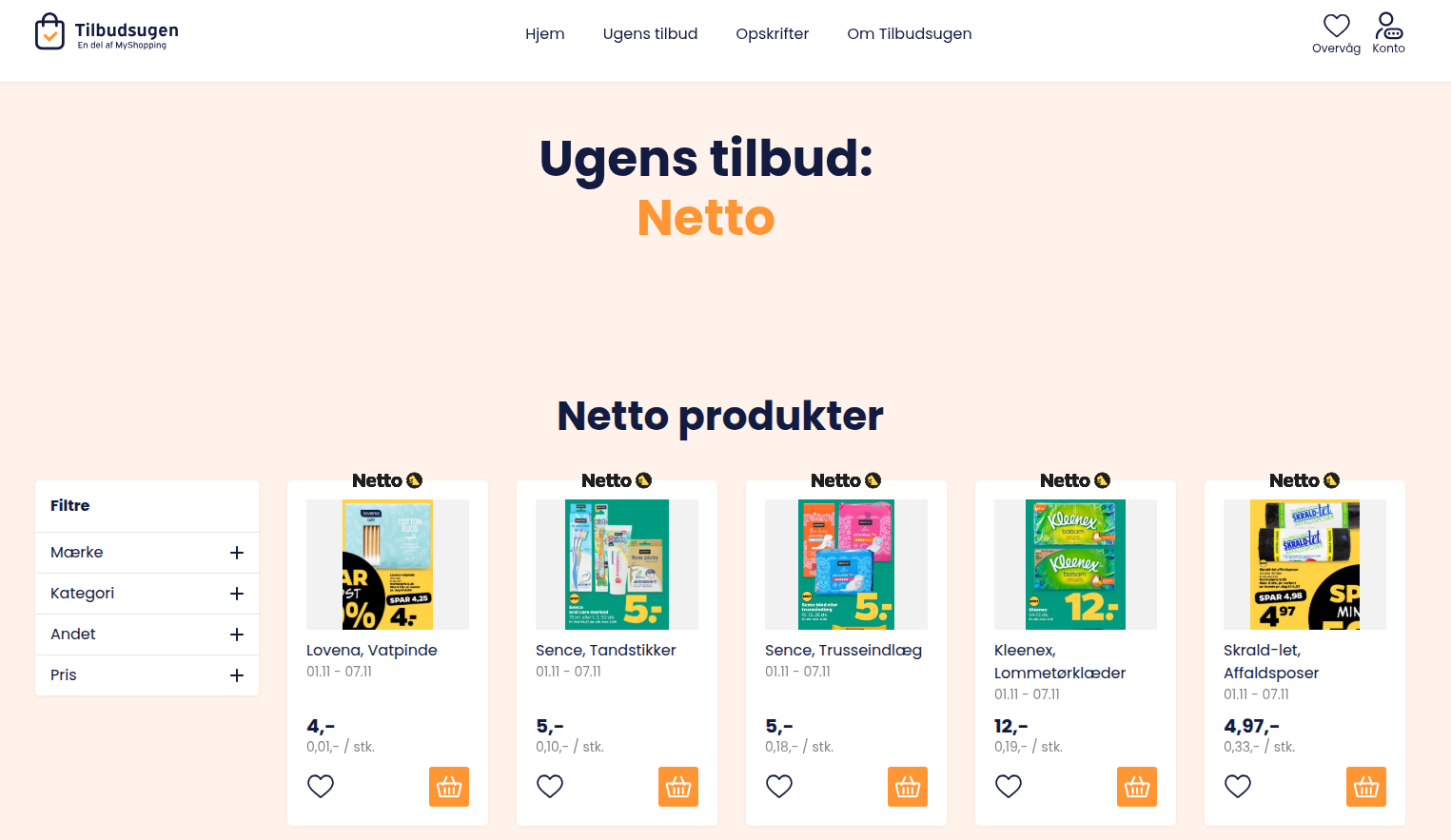
I really do like that the pictures from the actual flyer is there, as well as a name and price. However, I am a greedy bastard, and I want more. the filter section on the left of the page suggests that there are many other attributes associated with each item. I had the correct suspicion that the extra data should be available, but just not visible. I inspected the network packages, and to my luck, there was a JSON file with a ton of meta data for the item:
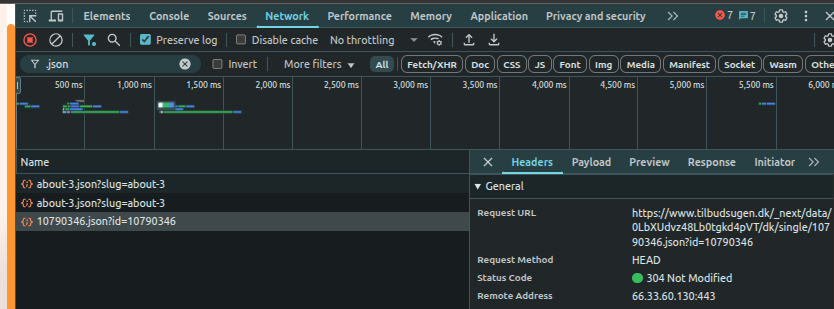
The request URL for the JSON file is:
https://www.tilbudsugen.dk/_next/data/0LbXUdvz48Lb0tgkd4pVT/dk/single/<ITEM_ID>.json?id=<ITEM_ID>
where we know the item ids. The middle part 0LbXUdvz48Lb0tgkd4pVT might be a dynamic id that changes occasionally to prevent exactly these kinds of “attacks”, but it hasn’t changed for the past 2-3 weeks, so I think I’m good.
I converted the relevant part of the JSON into a table (csv) format. Much of the grocery information was readily accessible from the static website, but information such as product-category was not.

Processing
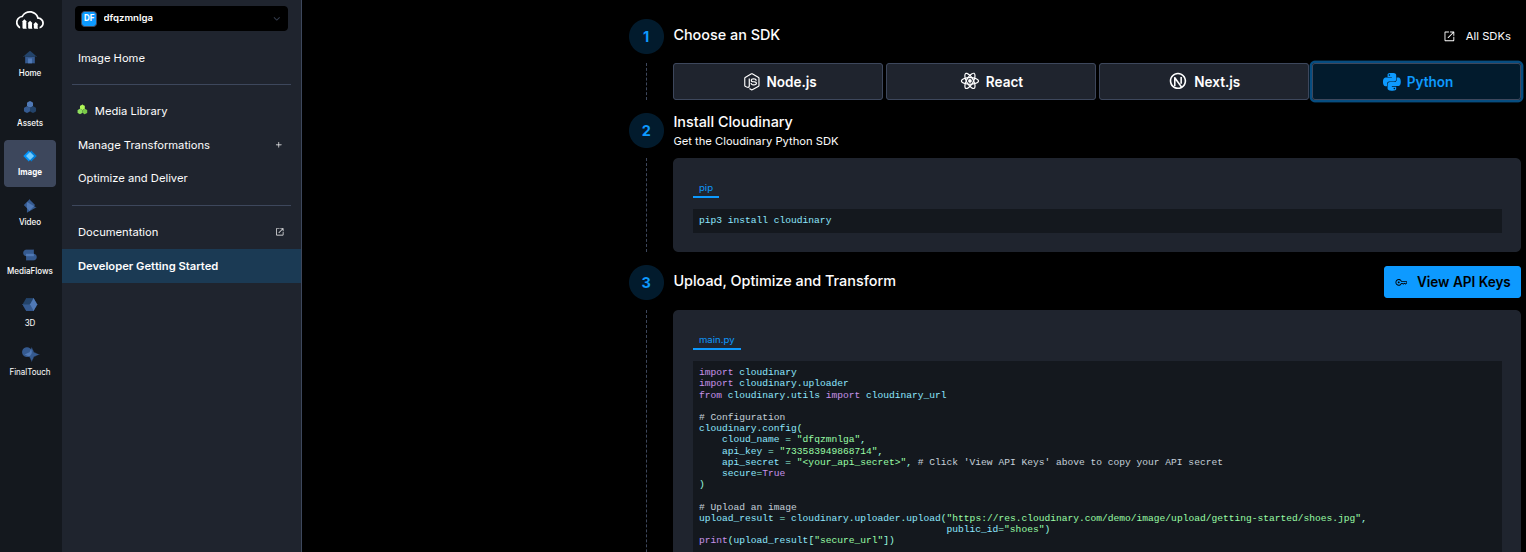
Now we have simply gathered the raw data, but we should also do a wee bit of processing. First of all, I don’t trust that the image URLs will be there forever, so I have chosen to download the images. The images are downscaled such that the largest dimension (width or height) is 300 pixels. I then uploaded them to a cloud service called Cloudinary. This service allows 25GB of free storage, with public image urls, while Firebase (which I’ll look into next month) only seems to allow 1GB storage, which I won’t clutter with images. I will say that Cloudinary has the easiest getting started guide for anything cloud hosted that I have ever seen:
The other processing steps are regarding the “Tinder bio” belonging to each grocery item. I thought it would be funny to go all in here, so I let an LLM create a short, witty bio, based on the product name/type. But as the Danish LLMs, quite frankly, are very bad, I chose to do it on the English translation instead. I tried finding the most reliable, free, light-weight Danish-to-English model, and came up with the Helsinki-NLP/opus-mt-da-en model, and used Qwen/Qwen3-1.7B for creating the bio. This choice was based on previous success with this model, and is the largest of its kind that runs on Github actions, which is where the weekly processing will be performed. Also, both models should be fast enough to run on CPU for the same reason.
translator = pipeline("translation", model="Helsinki-NLP/opus-mt-da-en", device='cpu')

model_name = "Qwen/Qwen3-1.7B"
tokenizer  = AutoTokenizer.from_pretrained(model_name)
model      = AutoModelForCausalLM.from_pretrained(model_name,torch_dtype="auto",device_map="cpu")
Given the following prompt:
“Give me a fun/creative short single-sentence Tinder bio for me, but imagine I am the following grocery item: ‘{row[‘translated_product’]}’. Only output the bio, and don’t mention the word ‘grocery’. Include 1 emoji.”
I get something like this:
Fish oil: “Omega-3 powerhouse, turning every bite into a superpower — 🐟✨”
Wet napkins: “Sooze up, wipe down, and never let your life get messy again! 🧂”
Orange juice: “Citrusy energy boost, made simple. 🍊”
Agurk: “Chill, sweet, and slightly spicy — I’m the Agurk, the vegetable that knows how to make your day just right. 🍅”
Well, it obviously has a hard time translating “Agurk” (Cucumber) to English. But the Qwen model thinks that an “Agurk” is a spicy vegetable. This is what we get with only 1.7B parameter models. It’s still fun, though! I wonder what would happen if I prompted them to be less innocent, as some dating profile bios tend to be.
Automation Pipeline
I don’t seem to have easy access to earlier weeks’ offers, so I’ll just collect grocery data slowly over the next many weeks. To fetch the newest data, I have setup a Github action workflow that runs both scraping and processing once a week, and does the aforementioned processing and saves the new products in the repo, and uploads images to Cloudinary. I was afraid that it would take forever to process using Github actions, as the compute is not necessarily that powerful, but it was reasonable:


With roughly 500 products; scraping took ~18 minutes, and processing was ~1 hour 24 minutes.
Next steps
Now that I have some processed data, it is now time to create the Tinder-like app that let’s you swipe in order to define grocery preferences. It’s probably going to be basic, but I’ll do my best to create an awesome Android app this next month!